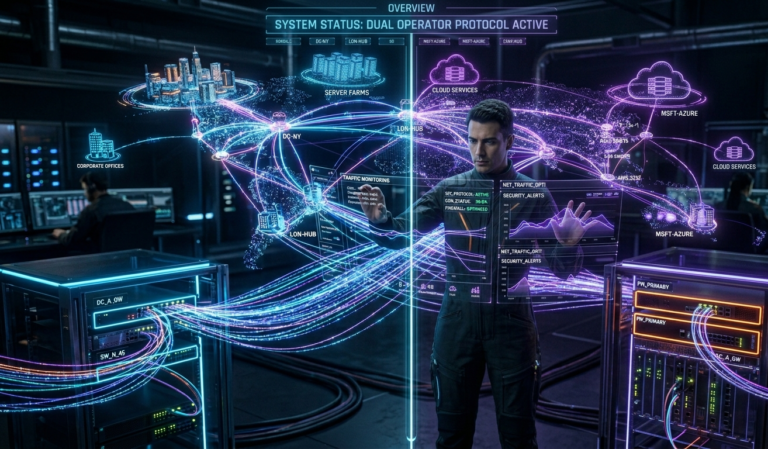
Software vs Hardware: Understanding the Differences and Their Importance in the Digital Age

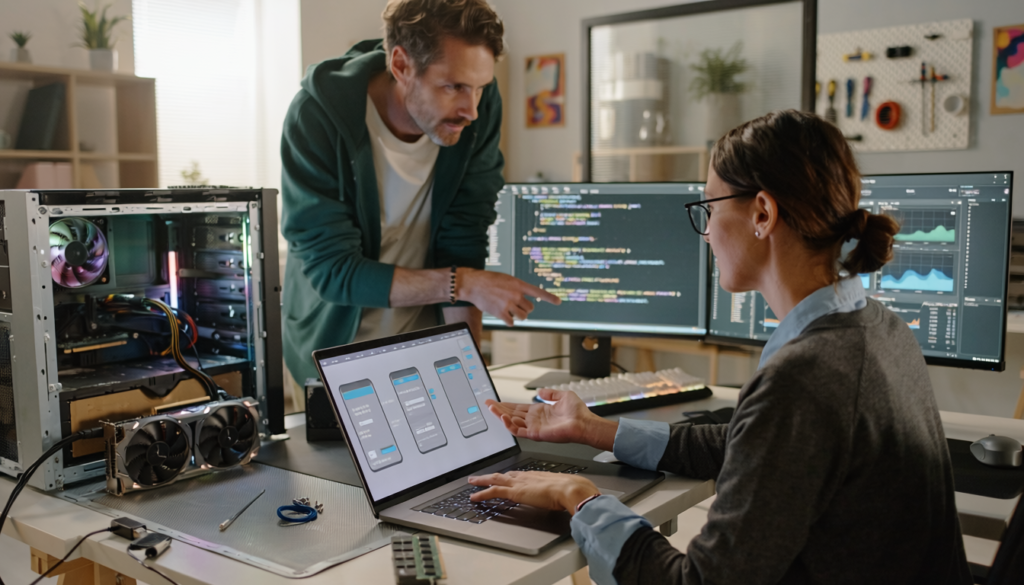
In today’s technology-driven world, the terms software and hardware are used constantly—but not everyone fully understands what they mean or how they work together. Whether you are using a smartphone, a laptop, or even a smart home device, both software and hardware play essential roles in making everything function smoothly.
Over time, both software and hardware have improved significantly, becoming more powerful, efficient, and interconnected. This article will help you clearly understand the differences between software and hardware, how they depend on each other, and why they are both critically important in modern computing.
What Is Hardware?
Hardware refers to the physical components of a computer or electronic device—anything you can physically touch.
Common Examples of Hardware:
- Central Processing Unit (CPU)
- Memory (RAM)
- Hard drives or SSDs
- Keyboard and mouse
- Monitor or screen
- Motherboard
In simple terms, hardware is the “body” of a computer system.
Key Functions of Hardware:
- Executes instructions from software
- Stores and processes data
- Enables input and output operations
How Hardware Has Improved
Modern hardware has advanced dramatically compared to earlier generations.
1. Faster Processing Power
CPUs have become significantly faster and more efficient, allowing devices to handle complex tasks like gaming, video editing, and artificial intelligence.
2. Smaller and More Compact
Devices have become lighter and more portable without sacrificing performance. Smartphones today are more powerful than older desktop computers.
3. Energy Efficiency
Modern hardware consumes less power while delivering higher performance, which is crucial for mobile devices and sustainability.
4. Advanced Storage Solutions
Solid State Drives (SSDs) have replaced traditional hard drives in many systems, offering faster data access and improved reliability.
What Is Software?
Software refers to the programs and applications that run on hardware. It is the set of instructions that tells the hardware what to do.
Unlike hardware, software is intangible—you cannot physically touch it.
Types of Software:
1. System Software
- Operating systems (Windows, macOS, Linux)
- Device drivers
System software manages hardware and provides a platform for applications.
2. Application Software
- Web browsers
- Office tools
- Mobile apps
These are programs users interact with directly.
3. Programming Software
- Code editors
- Compilers
- Development tools
Used by developers to create other software.
How Software Has Improved
Software has evolved just as rapidly as hardware.
1. User-Friendly Interfaces
Modern applications are designed to be intuitive and easy to use, even for beginners.
2. Cloud Integration
Software is no longer limited to a single device. Cloud-based applications allow users to access data and tools from anywhere.
3. Automation and AI
Software now includes artificial intelligence features that automate tasks, analyze data, and improve decision-making.
4. Regular Updates
Software can be updated continuously, adding new features and improving security without replacing hardware.
Key Differences Between Software and Hardware
Understanding the distinction between software and hardware is essential.
| Feature | Hardware | Software |
|---|---|---|
| Nature | Physical components | Digital programs/instructions |
| Tangibility | Can be touched | Cannot be touched |
| Role | Executes tasks | Provides instructions |
| Dependency | Needs software to function | Needs hardware to run |
| Lifespan | Wears out over time | Can be updated or replaced |
Simple Analogy:
Think of hardware as a car, and software as the driver.
Without the driver, the car cannot function properly. Without the car, the driver cannot go anywhere.
How Software and Hardware Work Together
Software and hardware are not separate—they are deeply interconnected.
Example: Opening a Web Browser
- You click an icon (input via hardware)
- The operating system (software) processes the request
- The CPU (hardware) executes the instructions
- The browser loads content (software)
- The display shows the result (hardware)
This seamless interaction happens in milliseconds.
Why This Relationship Matters:
- Hardware without software is useless
- Software without hardware cannot exist
- Efficiency depends on both working together
This partnership is the foundation of all modern technology.
Importance in Everyday Life
Software and hardware are essential in almost every aspect of daily life.
1. Communication
Smartphones combine advanced hardware with powerful software to enable messaging, video calls, and social media.
2. Education
Online learning platforms rely on both hardware devices and educational software.
3. Business Operations
Companies use software for accounting, communication, and management, all running on reliable hardware systems.
4. Entertainment
Streaming services, gaming, and virtual reality depend on high-performance hardware and sophisticated software.
The Role in Modern Innovation
The improvement of software and hardware has driven innovation across industries.
Artificial Intelligence
AI requires powerful hardware (GPUs) and advanced software algorithms to function effectively.
Cloud Computing
Cloud systems rely on massive hardware infrastructure combined with scalable software platforms.
Internet of Things (IoT)
Smart devices use embedded hardware and specialized software to communicate and automate tasks.
Healthcare Technology
Medical devices combine precise hardware with intelligent software for diagnosis and treatment.
Performance: The Balance Between Software and Hardware
Performance is not just about having the best hardware or software—it is about balance.
Example:
- A powerful computer with poorly optimized software will perform badly
- Efficient software can improve performance even on modest hardware
Optimization Matters:
- Software updates can enhance speed and efficiency
- Hardware upgrades can improve capability
Understanding this balance helps users make better decisions when upgrading or purchasing technology.
Security Considerations
Both software and hardware play roles in security.
Software Security:
- Antivirus programs
- Firewalls
- Encryption
Hardware Security:
- Secure chips
- Biometric scanners (fingerprint, face recognition)
Modern systems combine both to protect data and privacy.
Challenges and Limitations
Despite improvements, challenges still exist.
Hardware Challenges:
- Cost of upgrades
- Physical wear and tear
- Environmental impact
Software Challenges:
- Bugs and errors
- Security vulnerabilities
- Compatibility issues
Addressing these challenges requires continuous development and innovation.
Future Trends
The future of software and hardware is exciting and rapidly evolving.
1. Integration
Devices are becoming more integrated, with software and hardware designed together for optimal performance.
2. Artificial Intelligence
AI will continue to enhance both hardware capabilities and software intelligence.
3. Edge Computing
Processing data closer to the source will improve speed and efficiency.
4. Sustainable Technology
Efforts are being made to create eco-friendly hardware and energy-efficient software.
Why Understanding the Difference Matters
Knowing the difference between software and hardware is not just for experts—it is useful for everyone.
Benefits:
- Helps you troubleshoot problems
- Guides smarter purchasing decisions
- Improves digital literacy
- Enhances career opportunities
Whether you are a student, professional, or everyday user, this knowledge empowers you to use technology more effectively.
Conclusion
Software and hardware are the two pillars of modern computing. While hardware provides the physical foundation, software brings systems to life through instructions and functionality.
Over time, both have improved significantly—becoming faster, smarter, and more efficient. Their relationship is not just complementary but essential. One cannot function without the other.
Final Advice
- Learn the basics of both software and hardware
- Keep your software updated
- Invest in reliable hardware
- Focus on balance, not just power
Technology will continue to evolve, but the connection between software and hardware will always remain at its core. By understanding how they work together, you gain a deeper appreciation of the digital world—and the tools you use every day.